> For the complete documentation index, see [llms.txt](https://find-my-bridge.gitbook.io/find-my-bridge/llms.txt). Markdown versions of documentation pages are available by appending `.md` to page URLs; this page is available as [Markdown](https://find-my-bridge.gitbook.io/find-my-bridge/features/bridge-finder.md).
# Bridge Finder
Find My Bridge blockchain bridge finder is a web-based application that allows users to search for bridges that connect different blockchain networks. The application provides a user-friendly interface that allows users to search for bridges by selecting a specific blockchain network. Once a bridge is found, the application provides information about the bridge, including the name of the bridge, fees and other relevant information.
How to use the finder?
Go to [Find My Bridge website](https://findmybridge.com) and launch the app
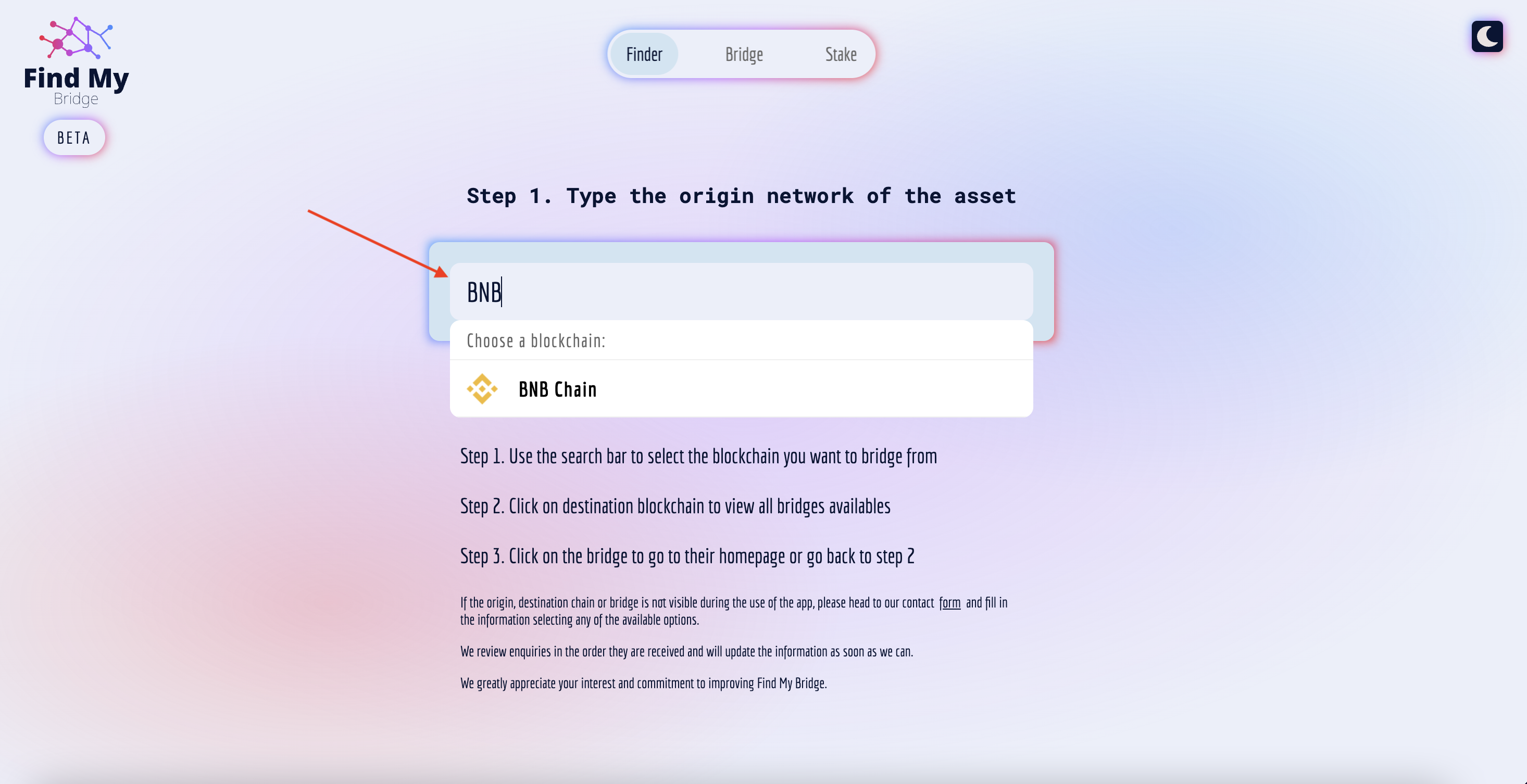
* Step 1. Use the search bar to select the blockchain you want to bridge from.
* Step 2. Click on the destination blockchain to view all bridges available or use the search bar to filter options by text input.
* Step 3. Click on the bridge to go to their homepage or go back to step 2.
Please note that each bridge will have a set list of supported tokens, if the bridge selected does not support or does not have the desired asset listed for bridging, please go back to the results page and select a different option.
If the origin, destination chain or bridge is not visible during the use of the app, please head to our contact [form](https://kffi3sdu91e.typeform.com/to/hTaFEB72?typeform-source=findmybridge.com) and fill in the information by selecting any of the available options.
We review enquiries in the order they are received and will update the information as soon as we can.
We greatly appreciate your interest and commitment to improving Find My Bridge.